

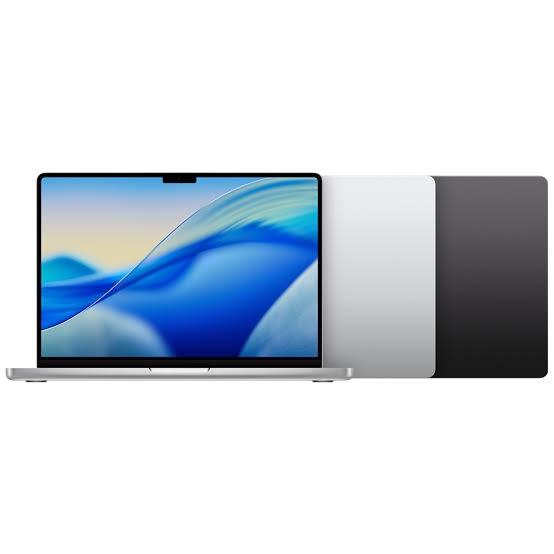
Every year, Apple releases a new chip and the internet splits into two camps. One says it’s the greatest leap in computing history. The other says it’s basically the same laptop with a bigger number on the box. The M5 MacBooks sit somewhere between those two, and knowing where helps you decide whether to spend your money.
Let’s walk through what the M5 laptops offer, who they suit, and who can skip them.
First, a Quick Lay of the Land
The M5 didn’t arrive all at once. Apple has rolled it out in stages.
The 14-inch MacBook Pro came first, in October 2025. It carried over the same design and the same $1,599 starting price as the M4 version, and the headline change was the chip. The MacBook Air followed in March 2026. It’s mostly an internal upgrade rather than a redesign, which has been the Air’s pattern for years. The higher-end M5 Pro and M5 Max chips also arrived in the MacBook Pro line, for people who do heavy professional work.
So “the new MacBook M5” really means a family of laptops. Here’s how they compare.
The Performance: Faster, and You’ll Notice It on the Right Tasks
The M5 has a 10-core CPU and a 10-core GPU in the base MacBook Pro, the same core counts as the M4. The gains come from architecture, not from adding more cores. The GPU also gets a new neural accelerator design, which Apple built to speed up AI-related work.
Benchmark numbers help here. In one set of tests, the M5 MacBook Pro scored about 17,926 in multi-core, against roughly 14,950 for the M4 MacBook Air. That’s a gain of around 20 percent. You probably won’t feel that when you open a browser tab, but it shows up when you export a video, compile code, or run a big spreadsheet.
If you use local AI tools, such as image generators, on-device language models, or transcription apps, the M5 is where this generation pulls ahead. Those jobs lean on the GPU and the Neural Engine, which is where Apple put most of its work.
If your day is email, documents, streaming, and video calls, an M4 already handles that without trouble. The M5 won’t change your life.
The MacBook Air M5: The One Most People Should Look At
I think the Air is the best story of the bunch. Apple has said for years that it’s the MacBook for most people, and the M5 version backs that up.
The price moved, though. It starts at $1,099, which is $100 more than last year’s model, but you get double the starting storage. One Japanese review even called it a “real price cut” compared with the M4 once you account for the extra storage. That’s a fair way to look at it. Nobody likes a price increase, but 512GB at the entry level is a real benefit, because 256GB fills up quickly if you take photos or install a lot of apps.
Other details are worth knowing:
- A better webcam. The Air has a 1080p FaceTime camera, and the M5’s image signal processor improves video call quality. If you spend half your week on Zoom, this matters more than it sounds.
- Silent operation. It’s fanless, so it makes no noise at all. If you work in a library or next to someone sleeping, you’ll appreciate that.
- All-day battery. It lasts a full day of normal use and charges over MagSafe.
- Two sizes. You can get a 13-inch or a 15-inch, depending on whether you value portability or screen space.
The trade-off with a fanless design is that sustained heavy work will slow it down eventually. For short bursts, it’s excellent. For a three-hour video render, the Pro is the better tool.
The MacBook Pro M5: The Display and Ports Still Win
The 14-inch MacBook Pro is the one to look at if you want more than the Air gives you. The look hasn’t changed. It has the same webcam and the same optional nano-texture glass that cuts reflections, and the same port layout.
That sameness is mostly a good thing, because the ports are still the Pro’s biggest practical advantage over the Air. You get three Thunderbolt 4 ports, MagSafe 3, an HDMI port, an SDXC card slot, and a headphone jack. If you’re a photographer who offloads memory cards, or you plug into an external monitor at the office, you won’t need a bag of adapters.
The screen is the other big draw. A reviewer at TechRadar called it one of the best displays you’ll find on a laptop. The Liquid Retina XDR panel gets very bright and handles HDR content beautifully. Side by side, the Air’s screen looks good, but the Pro’s looks better. Whether that’s worth the extra money depends on how much time you spend looking at photos, video, or design work.
Battery Life: Impressive Without Being Magical
Apple quotes up to 24 hours of battery life for the 14-inch Pro, and that claim got plenty of attention. Treat it as a best-case figure from a video playback test. Real-world use with browser tabs, Slack, and a code editor open will give you less.
Still, Apple Silicon laptops have been the best in the industry on battery for years, and the M5 doesn’t change that. You can leave the charger at home for a normal workday and not think about it. In a world where many Windows laptops give up around lunchtime, that’s a real advantage.
What the M5 Doesn’t Change
I want to be honest here, because plenty of blogs get excited about every new release.
- It’s not a big leap if you already own an M4. Reviewers consistently describe it as a modest step. One review called it a “small update” over the M4 model, though a strong one. If your M4 MacBook runs fine, I’d keep it and save the money.
- Apple’s pricing is still high. The base Pro starts at $1,599, and the price climbs fast once you add RAM or storage. Apple’s upgrade pricing is what turns a reasonable laptop into an expensive one. Sixteen gigabytes of RAM is fine for most people today, but if you plan to keep the laptop for five or six years, think about paying for more.
- Nothing about the design is new. If you hoped for an OLED screen or a thinner body, the M5 generation won’t give you that. Those upgrades are rumored for later models.
Who Should Buy What?
Here’s how I’d think about it.
- Buy the MacBook Air M5 if you’re a student, a writer, a business user, or anyone who mainly browses, works in documents, and takes video calls. It’s quiet, light, and fast enough that you’ll rarely think about performance.
- Buy the MacBook Pro M5 if you edit photos or video, write code, produce music, or just want the best screen and the most ports. The base 14-inch Pro is plenty for most professionals, and you don’t need the Pro or Max chips unless your work is truly demanding.
- Go for the M5 Pro or M5 Max if you work with 3D, high-resolution video, or large datasets, and time is money. For this group, the extra cost pays for itself.
- Skip it if you already own an M3 or M4 laptop in good shape. The gains won’t be enough to justify the cost.
- Look at older models if you’re on a budget. The M5 MacBook Pro with 1TB of storage has already dropped to $1,499.99 at Amazon, the lowest price recorded for that configuration. Prices tend to come down as stock moves, so check around before you pay full price.
Conclusion
The M5 MacBooks won’t make anyone gasp, and that’s fine. They deliver faster performance, strong AI capability, long battery life, and a polished experience that most laptop makers still can’t match. The Air gets better value from its larger storage and improved webcam. The Pro keeps its edge with the screen and ports.
If you’re upgrading from an Intel Mac or an M1 machine, you’ll feel a big difference and it’s a smart purchase. If you’re coming from an M4, enjoy what you have.