

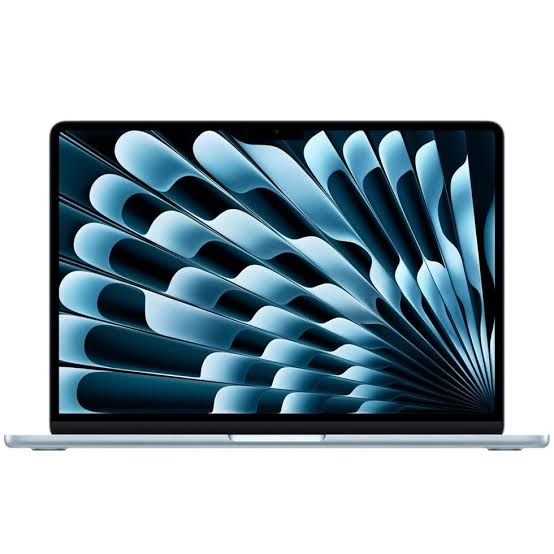
A year ago, the answer was an easy yes. Today it needs a small asterisk, and the asterisk is worth understanding before you spend money.
Let’s get to know what it means, and then give a straight answer.
First, the plot twist
Apple has moved on. The MacBook Air with M5 was announced on March 3, 2026, which is almost exactly one year after the M4 model arrived. So the M4 is no longer the newest Air on the shelf.
That doesn’t make it a bad laptop. It makes it a slightly older one, which is often where the best deals live. Therefore, “Is the M4 Air good?” isn’t the true question. (it is). “So where does the M4 stand now? Is it still the sensible pick for daily use, or has a newer model overtaken it?”
What “everyday performance” actually means
Most spec sheets are written for people who edit 8K video for a living. Most of us don’t. Everyday performance looks more like this:
- Twenty-plus browser tabs, a few of them playing something
- Email, Slack or WhatsApp, Zoom or Google Meet
- Word processing, spreadsheets, slide decks
- Streaming video while you cook or fold laundry
- Light photo editing, maybe a bit of coding or design
- Opening the lid and having it simply work, every time
For that kind of life, what you want is speed that never makes you think about speed. The M4 Air delivers that very well.
Where the M4 Air shines
- It’s fast enough that you stop noticing. The M4 chip has a 10-core CPU, and Apple pairs it with 16GB of memory as the starting point on the Air. That 16GB matters more than most people realize. Memory is what keeps your laptop smooth when you’ve got a messy pile of apps open, and it’s the thing that makes cheaper laptops feel sluggish after a year of use.
- It’s silent. The Air has no fan. Not a quiet fan, no fan at all. Whether you’re in a library, a meeting, or a bedroom at midnight, you won’t hear it. Under normal work it also stays comfortably cool, which is more than I can say for many Windows laptops at this price.
- The battery gets you through the day. It can play videos for up to eighteen hours, according to Apple. Real life is lower than the marketing number, but a full workday and then some is realistic. You can leave the charger at home without that low-grade anxiety.
- It’s light and easy to carry. After putting it in a bag, store it. If you commute, travel, or move between rooms and cafés, that portability does more for your daily happiness than any benchmark.
- The camera got a real upgrade. The M4 Air introduced a 12MP Center Stage camera, which keeps you framed during video calls. If you’re on calls a lot, you’ll notice it right away.
- It handles two external displays. The M4 Air can drive two external monitors with the lid closed, which was a genuine limitation on earlier base Airs. For anyone who plugs into a desk setup, that’s a big quality-of-life win.
Where the M4 Air falls short
No laptop is perfect, so let me be fair.
The 256GB base storage is the biggest weak spot. It looks fine on paper and gets cramped fast, especially once you add photos, downloads, and a few big apps. You can pay Apple to upgrade it, or lean on cloud storage and an external drive, but it’s an annoyance.
The Air also isn’t built for sustained heavy lifting. Because there’s no fan, it will eventually slow itself down to stay cool if you push it for long stretches, like exporting long videos or running demanding software for hours. For short bursts it’s brilliant. For marathon workloads, it isn’t the right tool.
And the screen, while sharp and pleasant, doesn’t get as bright or smooth as the MacBook Pro’s display. You likely won’t miss that unless you’ve used both side by side.
So how does the M5 Air change things?
This is where the asterisk comes in.
On pricing, the 13-inch M5 Air starts at $1,099, and it now begins with 512GB of storage. The M4 started at $999 with 256GB. So for about $100 more, you’re getting double the storage, which is exactly where the M4 felt tight.
On performance, Apple claims the M5 delivers up to four times faster performance for AI tasks than the M4 Air. That’s a marketing figure aimed at specific workloads, so don’t expect everything to feel four times faster. For normal browsing and office work, the jump between the two will be subtle. You’d have to go looking for it.
Here’s the part that surprised me, though. Prices move after launch. One comparison I found noted that retailers were already discounting the M5 below its launch price, and in that piece’s view, once an M4 costs much above $799, the M5 usually wins the value argument. Prices change constantly, so check what’s actually on offer where you live before deciding.
And if you already own an M3 or M4 Air, upgrading to the M5 wouldn’t make much sense. I agree with that. The difference isn’t big enough to justify the expense.
What about the MacBook Pro?
If we’re talking about the absolute best performance, the MacBook Pro wins, no contest. The new Pro lineup runs on M5 Pro and M5 Max chips, with the 14-inch M5 Pro starting at $2,199.
But “best performance” and “best for everyday use” are different things. Paying more than double for power you’ll never touch is like buying a pickup truck to carry groceries. It works, but you’re hauling a lot of unused capability around, along with extra weight and a heavier price tag. Unless you do serious video editing, 3D work, large-scale coding, or machine learning, the Pro is overkill.
Who should buy the M4 Air?
The M4 Air is a smart buy if you:
- Find one at a genuinely good discount
- Mostly browse, write, study, stream, and take video calls
- Want a quiet, light laptop with great battery life
- Can live with 256GB, or you’ll add an external drive and cloud storage
- Care more about saving money than having the newest chip
Students, remote workers, parents, and anyone upgrading from an older Intel Mac or a slow Windows laptop will feel a huge improvement.
Who should choose something else?
Go for the M5 Air if the price gap is small and you want more storage and a little extra future-proofing. That extra headroom matters more the longer you plan to keep the laptop, and most people keep a MacBook for five years or more.
Step up to a MacBook Pro only if your work genuinely demands it. If you’re not sure, you probably don’t need it.
In Conclusion
Is the MacBook Air M4 the best MacBook for everyday performance? It’s one of the best, and for a lot of people it’s still the smartest value. But it’s no longer automatically the best, because the M5 Air has arrived and given buyers a real choice.
If I were shopping today, I’d compare current prices for both and let the numbers decide. A discounted M4 with 16GB of memory is still a wonderful everyday machine. But if the M5 is within about $100 or so of it, I’d lean toward the M5 for the extra storage alone.
Either way, you’re getting a laptop that’s fast, silent, light, and long-lasting. For everyday life, that combination is hard to beat, and honestly, you can’t make a bad choice here. You can only make a slightly better-timed one.