

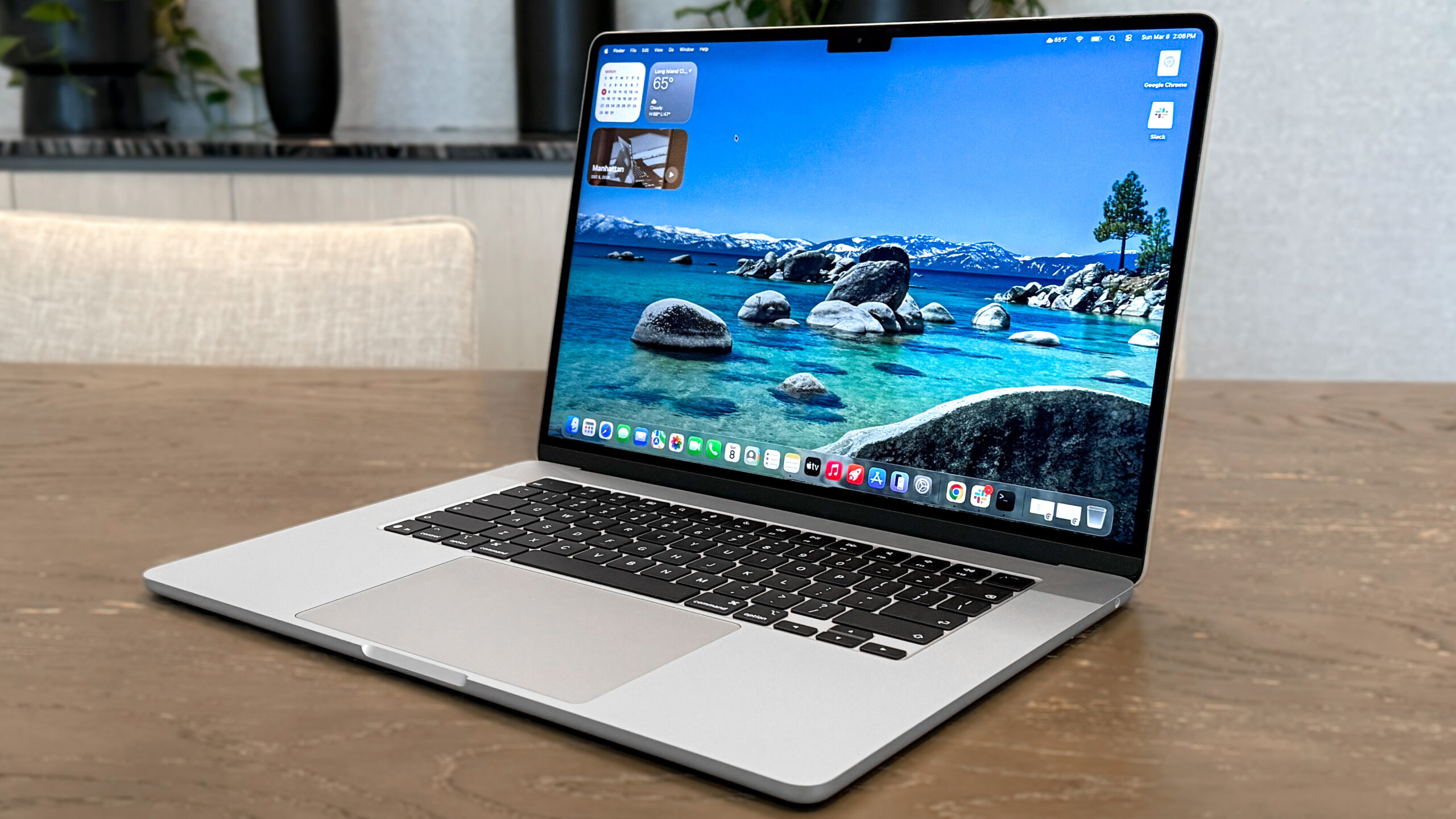
If you’ve spent any time shopping for a laptop, you’ve probably noticed that the MacBook Air keeps showing up in “best laptop” lists. It’s thin, it’s quiet, and people who own one tend to talk about it like it’s a favorite pair of shoes. But a glowing reputation doesn’t mean it’s right for you, and it definitely doesn’t mean it’s worth the money for everyone.
So let’s talk about it honestly. I’ll go through what the MacBook Air does well, where it falls short, and who should probably save their cash.
What “Everyday Use” Actually Means
Before we get into it, let’s define the term. When most people say everyday use, they mean things like browsing the web with far too many tabs open, answering emails, writing documents, joining video calls, streaming shows, managing photos, and doing some online shopping or banking. Maybe a little light photo editing, too.
That’s the sweet spot for the MacBook Air. Apple designed it for exactly this kind of life, and the experience shows.
The Best Part: It Just Works
The thing people love most about the Air is how little it asks of you. You open the lid and it wakes up instantly. There’s no fan whirring, no waiting around, no wondering whether the battery will survive until lunch.
That comes from Apple’s own chips. Since Apple moved away from Intel processors, the Air has become remarkably fast for ordinary tasks while sipping power. Opening apps feels immediate. Switching between a dozen windows doesn’t make it stutter. For writing, browsing, and video calls, you’ll rarely feel it struggle.
And because the Air doesn’t use a fan, it’s completely silent. If you’ve ever used a cheap laptop that sounds like a small airplane preparing for takeoff when you open a spreadsheet, you’ll appreciate this more than you expect. Working in a quiet library, a late-night bedroom, or a shared living room is just nicer without that noise.
Battery Life You Can Trust
Battery life is where the Air really earns its reputation. Apple’s claims are usually in the range of fifteen to eighteen hours of video playback, and while real life is a bit less generous, a full workday is realistic for most people.
The practical result is that you stop thinking about your charger. You can leave it at home, work from a café, or sit on the couch without hunting for an outlet. After years of carrying a charger everywhere “just in case,” that freedom feels surprisingly good.
Light, Slim, and Easy to Carry
The Air weighs under three pounds and slides into a bag without you noticing it’s there. If you commute, travel, or move around the house a lot, this matters more than a spec sheet suggests. A laptop you enjoy carrying is a laptop you actually use.
The build quality is also excellent. The aluminum body feels solid, the keyboard is comfortable for long typing sessions, and the trackpad is one of the best you’ll find on any laptop, Windows or Mac. Gestures like swiping between desktops or pinching to zoom feel natural once you get used to them.
The Screen and Speakers Are Better Than You’d Expect
Recent Airs come with bright, sharp displays that look great for movies, photos, and everyday reading. The speakers are surprisingly full for a laptop this thin, and the webcam and microphones are good enough that you won’t need to buy extra gear for video calls.
None of this is flashy, but these small things add up. You use your laptop for hours every day, so a nice screen and decent audio make a real difference in how much you enjoy it.
It Holds Its Value and Lasts for Years
Here’s something people forget when they look at the price tag: Macs tend to last a long time. Many people use their MacBook Air for five, six, even seven years without feeling the need to upgrade. Apple also supports its machines with software updates for a long time.
When you do decide to sell, a used MacBook Air still fetches a decent price. A cheaper laptop that feels slow after two years can end up costing you more in the long run, so the higher upfront price isn’t as scary as it first looks.
Now the Downsides
It wouldn’t be fair to only gush, so here’s where the Air can frustrate you.
- The price. Even the entry-level Air costs more than many Windows laptops that offer similar everyday performance. If your budget is tight, you can find a perfectly usable laptop for much less. Apple’s upgrade pricing for extra memory and storage is also steep, so adding options can push the total up quickly.
- Limited ports. The Air gives you a couple of USB-C ports, a headphone jack, and a charging connection, depending on the model. If you regularly plug in USB drives, SD cards, or external monitors, you’ll probably need a dongle or hub. It’s a small annoyance, but it’s real.
- Not meant for heavy work. The Air handles light photo editing and casual video projects just fine. But if you’re editing long 4K videos, running demanding software, or gaming seriously, you’ll hit its limits. Without a fan, it also slows itself down under long, heavy workloads to keep cool. For those jobs, a MacBook Pro or a more powerful machine makes more sense.
- Storage and memory choices matter. You must make careful selections at checkout because you cannot later enhance the memory or storage. Going too low might leave you frustrated in a couple of years. For most people, aiming above the bare minimum is a smart move.
- Mac and Windows differences. If you’ve used Windows your whole life, macOS takes a little adjusting. It’s not hard, but shortcuts, window management, and file handling work differently. Some specialized software and many PC games simply aren’t available on Mac.
Who Should Buy the MacBook Air
The Air is a great fit if you’re a student, a remote worker, a writer, a parent managing a household, a casual creator, or anyone who mostly lives in a browser and a handful of everyday apps. It’s especially good if you value quiet, battery life, and a laptop that stays fast and tidy without constant maintenance.
It’s also a smart pick if you already own an iPhone or iPad. Features like copying something on your phone and pasting it on your laptop, sharing files nearby, and taking calls on your Mac make the whole setup feel connected in a way that’s hard to replicate elsewhere.
Who Should Skip It
If you’re on a strict budget, a decent Windows laptop or a Chromebook might serve you just as well for far less money. If you’re a serious gamer, you’ll be better off with a Windows machine built for it. And if your work depends on software that only runs on Windows, switching to Mac could create more headaches than it solves.
Heavy video editors, 3D artists, and developers working with demanding tools should look at the Pro line instead.
A Few Tips Before You Buy
Check the current lineup before you spend anything, because Apple updates the Air regularly and prices shift. Older models often go on sale when a new one arrives, and they’re still excellent for everyday use. Refurbished units from Apple come with a warranty and can save you a good chunk of money.
If you can swing it, choose more than the minimum memory and storage. It’s the single best way to make sure your laptop still feels good years from now.
Conclusion
So, is the MacBook Air worth buying for everyday use? For most people, yes. It’s fast enough, quiet, light, beautifully built, and its battery will outlast most of your days. It’s the kind of laptop that fades into the background and lets you get on with your life, which is exactly what a good everyday computer should do.
It isn’t the cheapest option, and it isn’t for power users or gamers. But if your daily routine involves browsing, writing, streaming, and staying connected, the Air offers a smooth, low-stress experience that few laptops match. Think of it less as an expense and more as an investment in a machine you’ll likely enjoy using for years.