

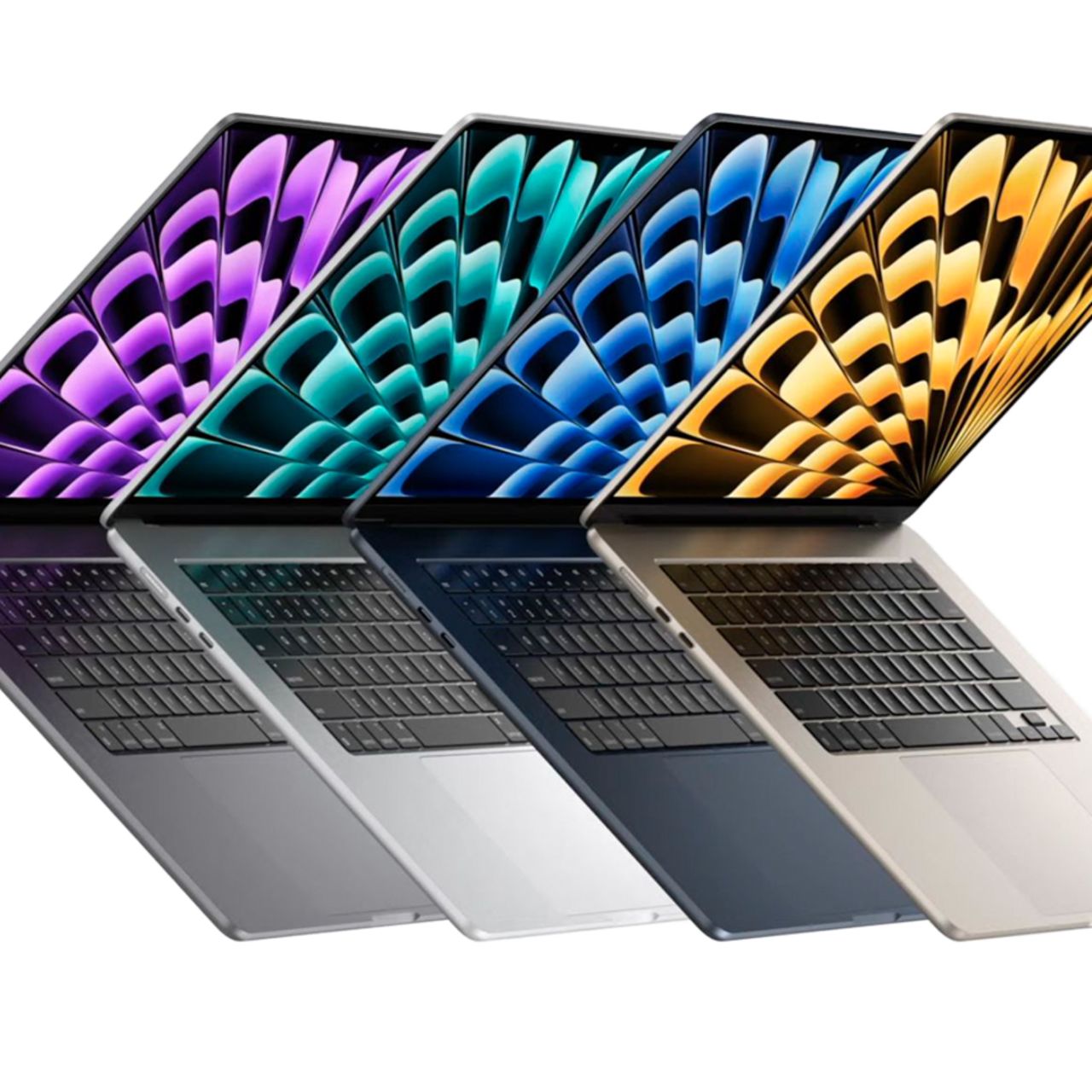
Ask ten people what laptop they’d buy for email, streaming, spreadsheets and the occasional late-night rabbit hole, and at least six will say “just get a MacBook Air.” That’s a strong reputation, and it’s fair to wonder whether it’s earned or just repeated out of habit.
I’ll say up front that the Air is the right answer for a lot of people. It isn’t the right answer for everyone, and the gap between those two statements is what this blog is about.
What “everyday use” really means
Most of us overestimate what our laptops do all day. A normal day looks like a browser with far too many tabs open, a video call or two, a document or spreadsheet, music in the background, and maybe some photo sorting. Now and then there’s a bit of light editing.
None of that needs a monster machine. What it needs is a laptop that wakes up instantly, stays quiet, lasts through the day without hunting for a plug, and doesn’t feel sluggish after two years. On those points, the MacBook Air does very well.
What’s new in the current model
The latest Air arrived in March 2026 with Apple’s M5 chip. The 2026 edition swaps the older M4 chip for the faster M5, and its SSD is rated for faster read and write speeds. In real life, that means apps open quickly and big files copy without much waiting.
The base configuration also got more generous. Retail listings show the entry-level 13-inch model with 16GB of RAM and a 512GB SSD. That matters, because storage was a sore spot on older base models. One review roundup pointed out that the 2026 version has double the base storage of before, which is a real quality-of-life upgrade rather than a spec-sheet trick.
On price, the 13-inch starts at $1,099 and the 15-inch at $1,299 at launch in the US. Prices vary by country and shift with sales, so check your local store before you decide.
Where the Air really shines
- It’s quiet. The Air has no fan. You can use it on your lap, in a library or in bed, and the only noise is whatever you’re playing. After years of laptops that sounded like small aircraft, this still feels a bit magical.
- The battery is dependable. Apple’s chips are efficient, and the Air gets through a workday of normal use without drama. You stop thinking about where the charger is, and that peace of mind is worth more than most spec-sheet numbers.
- It’s light and well built. The 13-inch model is easy to throw in a bag and forget about. The aluminum body feels solid, the trackpad is still among the best on any laptop, and the keyboard is comfortable for long typing sessions. The 15-inch version gives you more screen space for roughly the same slim design, which suits people who work in split windows a lot.
- It ages gracefully. This is the one people overlook. Apple supports its laptops with software updates for years, and the chips have enough headroom that a machine bought today will still feel fine in five. A cheaper laptop that feels slow by year three isn’t really cheaper.
- The software stays out of your way. macOS is tidy, and it plays nicely with an iPhone, which is a big deal if you already own one. Copying text on your phone and pasting it on your laptop, answering calls from your computer, or sharing photos in seconds are small things that add up to a smoother day.
Where it falls short
I wouldn’t be honest if I only gushed, so here’s the other side.
- It isn’t cheap. Even at its best, the Air costs more than many Windows laptops that look similar on paper. Sales help. Reviewers noticed that the 13-inch M5 model with 16GB of RAM and 512GB of storage dropped to $899.99 around Memorial Day, which shows that waiting for a deal can be smart if you aren’t in a hurry.
- Upgrades are expensive and permanent. Memory and storage are soldered in, so you can’t add more later. Whatever you buy is what you’re stuck with. If you’re someone who keeps files for years, spend a little more on storage now.
- Ports are limited. You get a small handful, and if you regularly plug in cameras, memory cards or older gadgets, you’ll be living with a dongle or a hub. It’s not a dealbreaker, but it’s an annoyance.
- It isn’t a gaming or heavy-workload machine. The Air handles light video editing and photo work well, but if you render 3D scenes, edit long 4K projects daily or play demanding games, you’ll want something with active cooling and more graphics muscle. The same review roundup that praised the Air said it’s the one they’d suggest to most people unless they need intensive gaming or demanding work like 3D modeling.
- Some software simply isn’t on Mac. A few industry-specific programs and some games only run on Windows. If your job depends on one of them, that decides the matter before you even start comparing.
What about the cheaper options?
Apple now sells a lower-priced laptop called the MacBook Neo, and it’s worth a look if budget is your main concern. But the same reviewers who tested both said the Air is faster and better at everyday workloads like juggling dozens of tabs or doing some light video editing. If you’re deciding between them, think about how long you plan to keep the laptop. A few hundred extra dollars spread over five or six years is small money for a smoother experience.
On the Windows side, there are some excellent thin-and-light laptops from Dell, HP, Lenovo, ASUS and Microsoft. Some beat the Air on screen options, port selection or touchscreen features. A few even match it on battery life. What they rarely match is the full package: silence, battery, build, trackpad and long-term support, all in one machine. Some come close to one or two, but few get all of them.
So who should buy one?
The Air is a great pick if you:
- want a laptop that just works and keeps working
- value battery life and silence over raw power
- already use an iPhone or other Apple gear
- plan to keep your laptop for four to six years
- do mostly browsing, writing, studying, streaming, video calls and light creative work
You may want to look elsewhere if you:
- rely on Windows-only software
- need lots of ports without adapters
- want to upgrade RAM or storage down the road
- game seriously or do heavy rendering
- are working with a tight budget and need to spend as little as possible
Conclusion
Is the MacBook Air the best notebook for everyday use? For most people, I’d say yes, or at least very close to it. It’s not the best at every single thing, but it’s the best at being good at nearly everything while asking very little of you in return. There’s no fiddling, no fan noise, no battery anxiety, and no sense that you’ll outgrow it in a couple of years.
If you do pick one, my practical advice is simple. Don’t skimp on storage, since you can’t add it later. Check for seasonal discounts before paying full price. And choose the size that fits your life: 13 inches if you carry it everywhere, 15 inches if it mostly lives on a desk.