

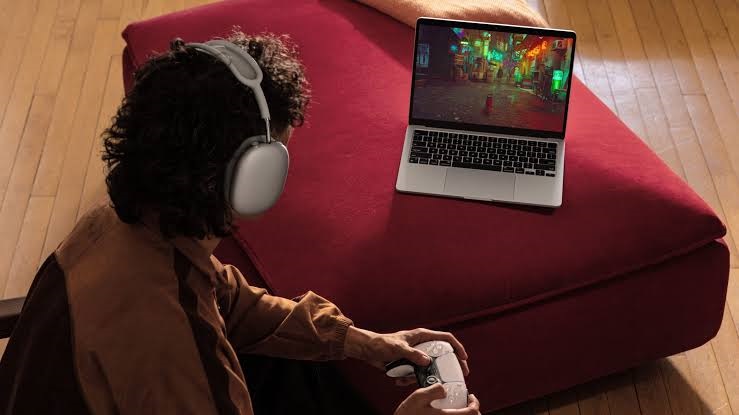
Walk into any coffee shop, university library, or co-working space and count the laptops. Chances are good that a thin, silver (or midnight, or starlight) MacBook Air shows up more than once. It isn’t a coincidence. The MacBook Air has been a favorite for well over a decade, and it keeps pulling in students, freelancers, writers, and office workers who just want a laptop that works.
So what’s the secret? It isn’t one big feature. It’s a bunch of small decisions that add up to a laptop that feels easy to live with. Let’s walk through what makes it so popular.
It Weighs Almost Nothing
The first thing people notice when they pick up a MacBook Air is how light it is. It slides into a backpack without making you feel like you’re hauling bricks, and it fits in a tote bag next to your lunch and a water bottle.
That might sound like a small thing, but think about how you actually use a laptop. You carry it from your bedroom to the kitchen, from home to the office, from the office to a train. A laptop that’s a pain to carry becomes a laptop that stays on the desk. The Air’s slim, tapered body makes you want to take it everywhere, and that’s exactly what a portable computer should do.
The design also looks good without trying too hard. Clean lines, a sturdy aluminum shell, and no clutter. It doesn’t scream for attention, but it looks polished in a boardroom and relaxed in a dorm room.
Battery Life That Respects Your Day
Ask a long-time Windows laptop owner what they dread most, and many will say hunting for a power outlet. Nobody enjoys sitting next to the one working socket in an airport or dragging a charger to every meeting.
The MacBook Air largely solves this. Apple’s battery claims are generous, but even in real-world use, most people get through a full day of browsing, email, video calls, and document work without reaching for the charger. For a student with back-to-back classes or a consultant bouncing between client sites, that freedom matters more than any spec sheet number.
It also stays cool and quiet while doing so. Which brings us to the next big reason.
Apple Silicon Changed the Game
A few years ago, Apple began putting its own chips inside Macs instead of relying on Intel processors. This was a turning point for the Air. Suddenly, a thin laptop with no fan could feel fast, and stay fast, instead of heating up and slowing down after a few minutes.
For everyday tasks, the performance is more than enough. Dozens of browser tabs, a music app, a video call, and a spreadsheet can all run together without the laptop breaking a sweat. Photo editing, light video work, and coding are well within reach too.
The lack of a fan is a quiet blessing. You can work in a silent library or record a podcast in the same room without any whirring in the background. And because the chips are so efficient, they sip power rather than gulp it, which loops back to that excellent battery life.
For most people, the Air is not a compromise. It’s simply enough, and then some.
A Screen You Actually Enjoy Looking At
You’ll spend hours staring at your laptop screen, so it better be a good one. The MacBook Air’s display is bright, sharp, and color-accurate. Text looks crisp, photos pop, and movies look great even on a small screen.
Plenty of laptops at similar prices cut corners here, with dim panels, washed-out colors, or awkward screen proportions. The Air’s display feels like it belongs on a more expensive machine. If you read a lot, edit photos, or just watch shows after work, you’ll notice the difference.
The webcam and speakers have also improved over the years. In a world where video calls are part of daily life, being able to look clear and sound good without buying extra gear is a real perk.
The Keyboard and Trackpad Feel Right
This one is hard to explain in a spec list, but easy to feel. The MacBook Air’s keyboard is comfortable for long typing sessions, and the trackpad is one of the best in the business. It’s large, smooth, and responsive, and the gestures feel natural after a day or two. Swiping between apps, pinching to zoom, and scrolling through pages all just work.
Plenty of Windows laptop users who’ve switched say the trackpad alone made them forget their old mouse. When you’re writing a long report or editing a document at midnight, small comforts like these add up.
It Plays Nicely With Everything Else You Own
If you already use an iPhone, an iPad, or AirPods, the MacBook Air slots into your life with almost no effort. Copy text on your phone and paste it on your laptop. Answer a call from your Mac. Share files across devices in seconds. Pick up a task on one device right where you left off on another.
This ecosystem is a big reason people stay loyal to Apple. None of these features are flashy on their own, but together they remove a lot of small annoyances. Things just connect, and you spend less time fiddling with settings and more time getting things done.
Even if you don’t own other Apple gadgets, macOS itself is easy to pick up. It’s clean, stable, and well organized, and it ships with useful apps for writing, editing photos, making music, and creating videos right out of the box. You don’t need to buy extra software just to get started.
Built to Last and Easy to Resell
A laptop is a real investment, and the MacBook Air tends to age well. The build quality is solid, with no flexing, creaking, or loose parts after a year or two of daily use. Apple also supports its Macs with software updates for many years, so your laptop doesn’t feel outdated the moment a new version of macOS arrives.
Another often-overlooked advantage is resale value. Used MacBook Airs hold their price better than most laptops. If you decide to upgrade in a few years, you can usually sell your old one for a decent sum, which softens the blow of the initial price.
Value That Makes Sense
Let’s be honest: a MacBook Air isn’t the cheapest laptop out there. You can find budget Windows machines for much less. But price and value aren’t the same thing.
When you factor in the battery life, the display, the quiet performance, the long software support, and the strong resale value, the Air starts to look like a smart buy. Many people find they’d rather spend a bit more once than replace a cheaper laptop sooner than expected. Apple also tends to keep the Air as its approachable, entry-level Mac, so there’s usually a reasonable way in for students and first-time Mac buyers.
Who Is It Best For?
The MacBook Air fits a wide range of people. Students love it for lectures, essays, and group projects. Remote workers love it for video calls and all-day productivity. Writers and bloggers love the comfortable keyboard and distraction-free feel. Casual users who mostly browse, stream, and email get a smooth, trouble-free experience.
If you’re a professional video editor, 3D artist, or heavy-duty developer working with massive files all day, you might want a more powerful machine, like a MacBook Pro. But for the vast majority of people, the Air does everything they need and does it gracefully.
Conclusion
The MacBook Air is popular because it gets the basics right and then adds a layer of polish most laptops can’t match. It’s light, it lasts all day, it runs quietly, and it looks great doing it. It works smoothly with the other devices you may already own, and it holds its value when it’s time to move on.
There’s no secret trick here. It’s simply a laptop that respects your time, fits into your day, and rarely gets in your way. That’s why so many people reach for one, and why so many of them buy another when it’s time for a new laptop.