

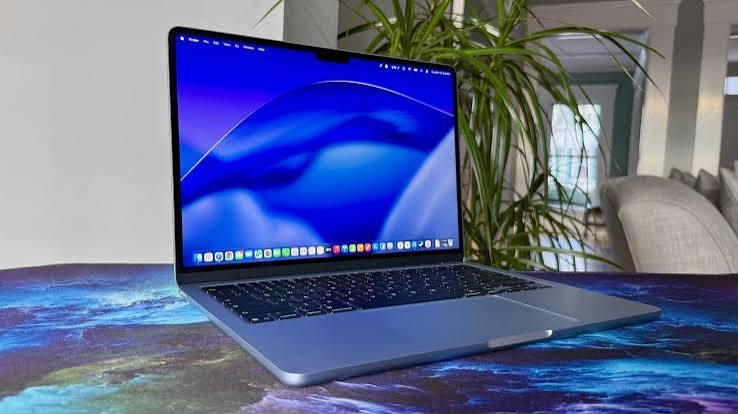
Every year, Apple updates the MacBook Air, and every year the same question comes up: is this one actually different, or is it just a new number on the box? With the M5 version, the honest answer is a little of both. The outside looks the same, but a lot has changed underneath, and some of those changes will matter in your day-to-day life more than you’d expect.
Here’s a look at what’s new, what isn’t, and who should care.
The Quick Backstory
Apple announced the MacBook Air with M5 on March 3, 2026, and it hit the shelves on March 11. It arrived during a busy stretch for Apple. The same week brought the iPhone 17e, a new iPad Air, a $599 MacBook Neo, and new MacBook Pro models with M5 Pro and M5 Max chips. So the Air wasn’t the headline act, but it might be the one most people end up buying.
It Looks the Same, and That’s Fine
If you’re hoping for a dramatic redesign, I’ll save you some suspense: there isn’t one. Macworld reports the M5 Air keeps an identical external design. You still get the thin, light, wedge-free body that made the Air popular. You still get the 13-inch and 15-inch options, and it comes in Sky Blue, Silver, Starlight and Midnight.
Is that boring? Maybe a little. But think about why people love this laptop. It slides into a backpack without you noticing, it’s quiet, and it doesn’t scream “tech gadget” when you set it on a café table. Apple didn’t fix what wasn’t broken, and I respect that.
The Real Story: The M5 Chip
The big upgrade is the chip, and Apple’s pitch is mostly about AI. Apple claims up to 4x faster performance on AI tasks compared with the M4 Air. Compared with the original M1 Air, the claim is up to 9.5x faster.
Now, a fair warning. Those numbers come from Apple, and “up to” is doing a lot of heavy lifting in marketing. Your email and spreadsheets won’t suddenly feel four times faster. But there’s a real design change behind the claim. The M5’s GPU has a Neural Accelerator built into each core, which is a fancy way of saying the graphics chip is now much better at the kind of math AI tools rely on.
What does that mean for normal people?
- Features like on-device writing tools, image cleanup, and transcription should feel snappier.
- Apps that run AI models locally, without sending your data to the cloud, get a real boost.
- Creative work like photo editing, video exports, and light 3D work gets more headroom.
The chip also brings a faster CPU than the M4. The 13-inch model comes with either an 8-core or 10-core GPU, while the 15-inch comes with the 10-core version. If you plan to keep the laptop for five or six years, which plenty of Air owners do, that extra muscle works like insurance. Software only gets hungrier over time.
Storage Finally Gets a Long-Overdue Bump
This is my favorite change, and it’s not even flashy. The standard MacBook Air now ships with 512GB of storage, up from 256GB in the last generation. Anyone who has watched a 256GB drive fill up with photos, downloads, and app caches knows how annoying that is. Starting at 512GB just makes sense in 2026.
Speed improved too. Apple says the SSD delivers twice the read and write performance of the previous generation, and you can configure up to 4TB of storage. Memory goes up to 32GB. Most people won’t need that much, but it’s nice to know the option exists if your work gets heavier.
Faster, Smarter Wireless
Here’s a small upgrade you’ll feel without thinking about it. Apple’s N1 wireless chip brings Wi-Fi 7 and Bluetooth 6 to the M5 Air. In practice, that can mean steadier connections on busy networks, faster transfers if your router supports Wi-Fi 7, and fewer annoying dropouts with headphones and accessories.
You won’t immediately reap the full benefits if your home router is a few years old. But laptops tend to outlive routers, so you’re future-proofing a bit.
Battery Life You Can Stop Worrying About
Battery life has always been one of the Air’s best traits. Apple claims that a single charge can last up to 18 hours. Real life will vary depending on your screen brightness and what you’re doing, but the pattern holds: you can leave the charger at home for a typical workday and probably not think twice about it.
That’s the kind of quiet convenience that doesn’t make for exciting headlines, but it’s the thing you’ll appreciate most on a long travel day or during back-to-back meetings.
The Display and Camera: Good, Not New
Let’s be straight about the screen. The Liquid Retina display has the same specs as before, including the 2560 x 1664 resolution and 500 nits of brightness, and it still has a notch. It’s a lovely screen for everyday use, with sharp text and rich color, but if you were waiting for a brighter or fancier panel, this isn’t that upgrade.
The webcam is a solid piece of the package. It’s a 12-megapixel camera with Center Stage, which keeps you framed in the middle of the shot, and Desk View, which shows your face and your desktop at once. If you’re on video calls all day or teach and present remotely, those features make you look a bit more put together with no effort.
Let’s Talk About the Price
This is where opinions split. The M5 Air starts at $1,099 for the 13-inch and $1,299 for the 15-inch, which is $100 more than last year’s starting price.
There are two ways to see it. Technically, the 512GB model got $100 cheaper, so you’re getting double the storage for less than the old 512GB price. But if you only wanted the cheapest laptop and store most of your files in the cloud, it feels like a $100 price hike on the entry model.
My take: if you were going to upgrade the storage anyway, this is a win. If you’re budget-focused, it stings a bit. The good news is that discounts show up quickly. Resellers were already listing some 13-inch configurations around $950 by mid-June. Prices shift often, so check current deals before paying full retail.
Who Should Buy It?
Upgrade now if you:
- Use an Intel MacBook or an M1 Air instead. The jump will feel huge.
- I want a laptop that will last for years and handle whatever AI features come next.
- We’re about to pay extra for more storage anyway.
Probably skip it if you:
- Already own an M3 or M4 Air. One review suggests an upgrade from those wouldn’t make much sense. They’re still excellent machines.
- Need a brighter display, more ports, or a design refresh. This isn’t that generation.
- I want the lowest possible price. A discounted older Air, or Apple’s cheaper MacBook Neo, may suit you better.
Conclusion
The MacBook Air M5 isn’t a revolution, and Apple doesn’t pretend it is. It’s a smart, practical update: a much stronger chip built for the AI era, double the starting storage, faster wireless, and the same easy, lightweight design people already love. The higher entry price is the one real downside.
If you’re coming from an older machine, this is one of the easiest recommendations in the laptop world. If you already own a recent Air, you can relax and wait for the next one.
Either way, the Air remains what it has always been at its best: a laptop that gets out of your way and lets you get on with your day.