

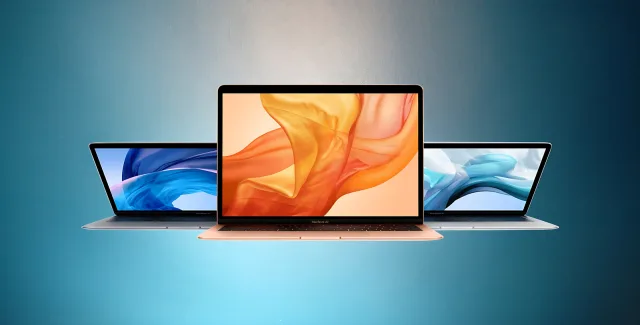
Walk into any coffee shop, university library, or airport lounge, and you’ll spot it within seconds: a slim silver or midnight laptop with a glowing logo on the lid. The MacBook Air has been a familiar sight for well over a decade, and it shows no sign of fading from view. Plenty of laptops are cheaper. Plenty are more powerful on paper. So why does this one keep landing in so many backpacks?
The answer isn’t a single killer feature. It’s a combination of small, sensible decisions that add up to a machine people genuinely enjoy living with. Let’s dig into what makes it tick.
It Weighs Almost Nothing
Start with the most obvious thing: the air is light. Most current models weigh around 2.7 to 3.3 pounds, depending on screen size. That’s the sort of weight you stop noticing after ten minutes of carrying it around.
If you’ve ever hauled a chunky laptop across campus or through a train station, you know how much this matters. A heavy machine becomes a machine you leave at home, and a laptop left at home is a pretty useless laptop. The Air easily fits into a messenger bag, a tote bag, or even a large handbag because to its thin, tapering shape. It gets used more simply because it’s easier to bring along.
Battery Life That Actually Lasts the Day
Here’s a confession many laptop owners share: they’ve spent a good portion of their lives hunting for wall outlets. Anyone who has crouched on an airport floor next to a power strip understands the frustration.
The MacBook Air largely fixes this problem. Apple’s own chips are remarkably efficient, and the Air routinely delivers an entire workday of use on one charge, often fifteen hours or more of light tasks like browsing, writing, and video calls. You can head out in the morning without the charger and not think twice about it.
That freedom changes how you work. You can move from your desk to the sofa to the garden without planning around a power cable. For students, remote workers, and frequent travelers, this is probably the single biggest quality-of-life upgrade.
Silent, Cool, and Calm
Many Windows laptops have fans that whir up the moment you open more than a few browser tabs. The standard MacBook Air has no fan at all. It cools itself passively, which means it’s completely silent.
This might sound like a minor detail until you’ve used one in a quiet library or during a late-night writing session. No humming, no spinning, no distracting noise. The laptop simply gets out of your way. It rarely feels uncomfortably hot on your lap either, because the chip doesn’t generate much heat in everyday use.
Performance That’s More Than Enough
Let’s be honest about what most people do on a laptop. They browse the web, answer emails, stream videos, join video calls, edit documents, and manage photos. Some do a bit of light video editing or coding on the side.
The Apple silicon chips inside the Air handle all of this with ease. Apps open quickly, switching between tasks feels smooth, and the machine rarely stutters. Even people who push it a little harder, say by editing a short 4K video or running several creative apps at once, are often pleasantly surprised at how capable it feels.
Is it a replacement for a high-end workstation? No. If you’re rendering feature-length films or training large machine learning models, you’ll want something beefier. But for the vast majority of buyers, the Air has headroom to spare. It’s the rare case where “good enough” actually turns out to be great.
A Display and Build You’ll Notice Every Day
You spend hours staring at a laptop screen, so quality matters. The Air’s Liquid Retina display is sharp, bright, and color-accurate. Text looks crisp, photos look vibrant, and movies look genuinely good. Many competing laptops at similar prices still ship with duller screens, which you can really feel after a long day.
The build quality deserves a mention too. The aluminum body feels solid and well put together. There are no creaky hinges or flexing keyboard decks. The keyboard itself is comfortable for long typing sessions, and the trackpad is large, responsive, and widely regarded as the best in the business. Small touches like these are easy to overlook in a spec sheet but impossible to ignore in daily use.
Macs Work Well With Other Apple Devices
If you already own an iPhone, iPad, or Apple Watch, the MacBook Air slots in neatly. Text from your phone can be copied and pasted into your laptop. You can unlock your Mac with your watch, answer calls from your laptop, send files across with AirDrop, and pick up an email draft right where you left off on another device.
None of this is magic, but it removes lots of tiny annoyances. Everything just talks to everything else. For people already inside the Apple world, that convenience is a strong reason to stay there. For newcomers, it’s a pleasant bonus.
Simple, Stable Software
macOS has a reputation for being clean, straightforward, and relatively hassle-free. It comes with useful apps built in, including Photos, Pages, Numbers, Keynote, GarageBand, and iMovie, so you can start creating things on day one without buying extra software.
Updates arrive regularly and are generally smooth. Security is solid, and Macs have historically been less targeted by malware than Windows machines, though no system is bulletproof. Combined with a tidy interface, this makes the Air a friendly choice for people who just want their computer to work without constant tinkering.
It Holds Its Value
Here’s something budget-conscious buyers often miss: MacBooks tend to keep their resale value remarkably well. A three- or four-year-old Air can still fetch a respectable price on the used market, far more than most comparable Windows laptops.
They also last. Many owners happily use their Airs for six, seven, even eight years. When you spread the purchase price across that lifespan and factor in resale value, the real cost of ownership looks a lot friendlier than the sticker price suggests.
Choice Without Confusion
Apple keeps the lineup relatively simple. You typically choose between a couple of screen sizes, a few chip and storage options, and a handful of colors. Compare that to the bewildering maze of model numbers and confusing variations from other brands, and the Air feels refreshingly easy to shop for.
That simplicity helps first-time buyers feel confident. You don’t need to study benchmark charts for hours to know you’re making a decent choice. Pretty much any configuration will serve you well, and the main decision is how much memory and storage you want.
A Few Honest Drawbacks
No laptop is perfect, and it would be unfair to pretend otherwise. The MacBook Air does have downsides worth knowing about:
- Price: It costs more than many Windows alternatives, especially once you upgrade memory or storage, which can’t be changed later.
- Limited ports: You get a small number of connections, so you may need a dongle or hub for older accessories.
- Not built for heavy gaming: The game library on Mac has grown, but it still trails Windows significantly.
- Not repairable at home: Upgrading or fixing components yourself is difficult.
If any of these are dealbreakers for you, another machine may suit you better. For most people, though, they’re minor trade-offs compared to the benefits.
Who Should Buy One?
The Air shines for a wide range of people. Students love the portability and battery life. Writers and remote workers appreciate the quiet, comfortable experience. Casual creators enjoy the strong display and capable performance. And anyone tired of fiddly, fan-noisy laptops will find it refreshing.
If you’re a hardcore gamer, a heavy 3D artist, or someone who needs lots of ports and endless upgrade options, you might look elsewhere. Everyone else should seriously consider it.
Conclusion
The MacBook Air isn’t popular because it’s flashy or because of clever marketing alone. It’s popular because it does the basics exceptionally well. It’s light, quiet, fast enough, long-lasting, and nice to use. It sticks around for years, and it keeps its value when you’re ready to move on.
In a world full of laptops that try to be everything to everyone, the Air succeeds by being a really good everyday companion. To be honest, most of us are searching for it. We don’t need the most extreme machine on the shelf. We need something that makes our days a little easier. For millions of buyers, the MacBook Air does exactly that.